


Your Website, Your Style — Instantly!
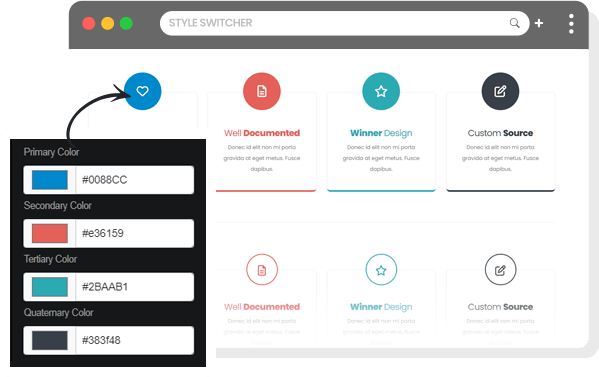
Introducing Style Switcher — the smart way to give your TYPO3 website a fresh look anytime you want.
Easily toggle between light and dark modes, apply custom color palettes, and adjust layouts to fit your brand.
Style Switcher puts design control in your hands, making every website feel perfectly tailored — to you.
- Style Switcher
Bring creativity and control together with the Style Switcher — the ultimate tool to personalize your TYPO3 website with ease. Change themes, adjust colors, and preview your favorite looks instantly, all without touching a single line of code.
Style Switcher makes website customization effortless, helping you deliver a more engaging and accessible user experience.
Design Freedom
With the Style Switcher, you’re in complete control. Easily adapt your website’s appearance to match your brand, mood, or audience — anytime you like.
Whether it’s a fresh new theme or subtle color tweaks, everything updates seamlessly and beautifully.
How to CustomizeRestyleSwitch Your Style
Personalizing your website’s appearance is quick, effortless, and fun. With the Style Switcher, you an experiment with colors, layouts, and themes to find the look that perfectly matches your vision.
Follow the simple steps below to craft your unique design and apply it instantly — no coding, no hassle, just your creativity brought to life in a few clicks.
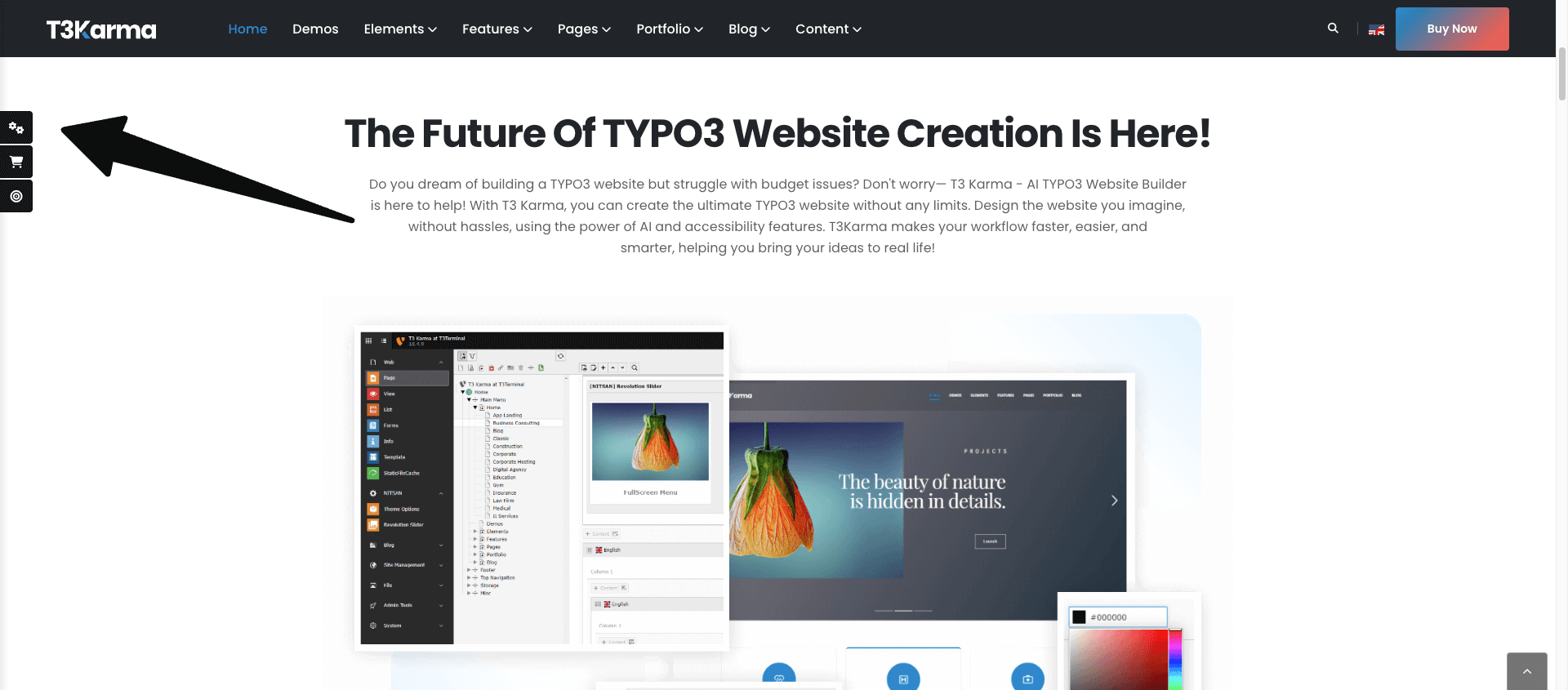
Step 1
To get started, click on the Style Switcher icon located on the left side of your screen on the preview site.
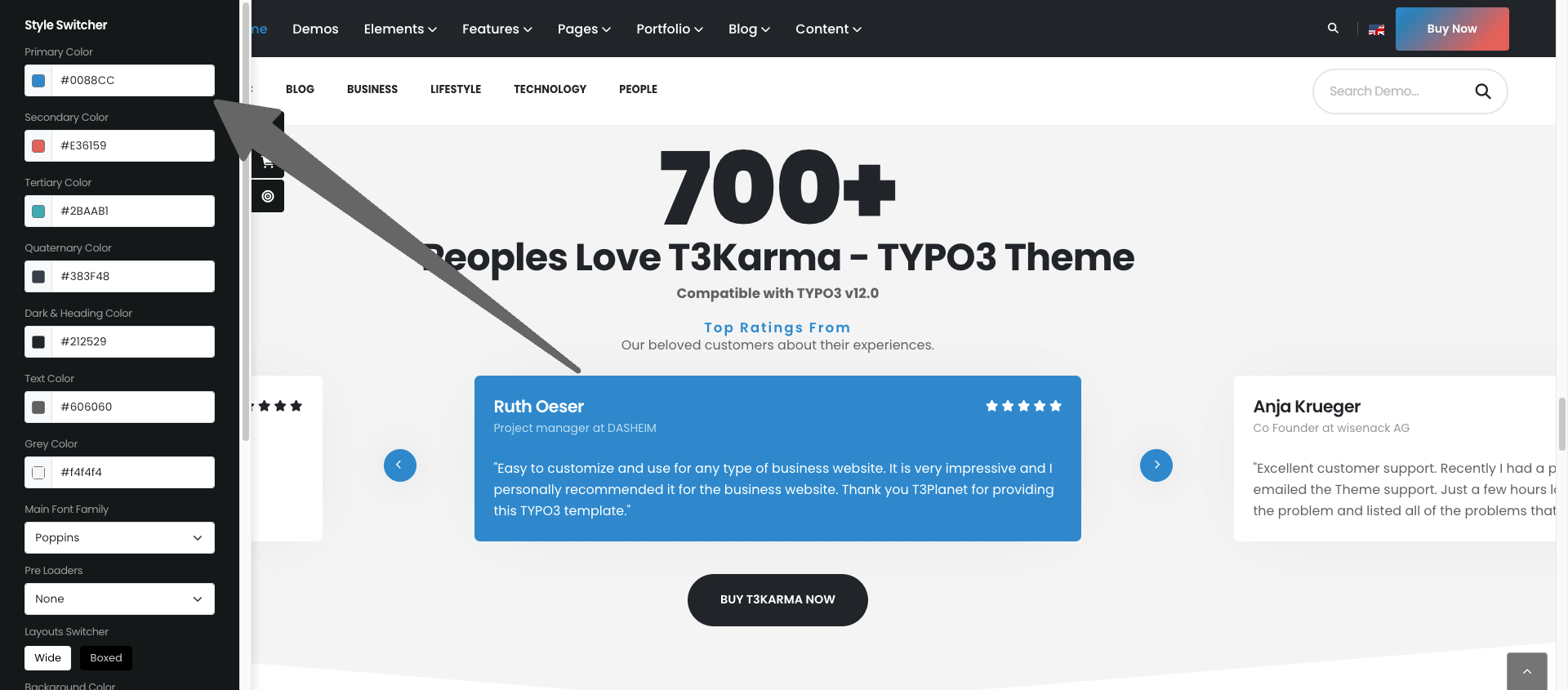
Step 2
The Style Switcher will appear on the screen and then you can choose 4 colors and other specific options to each demo.
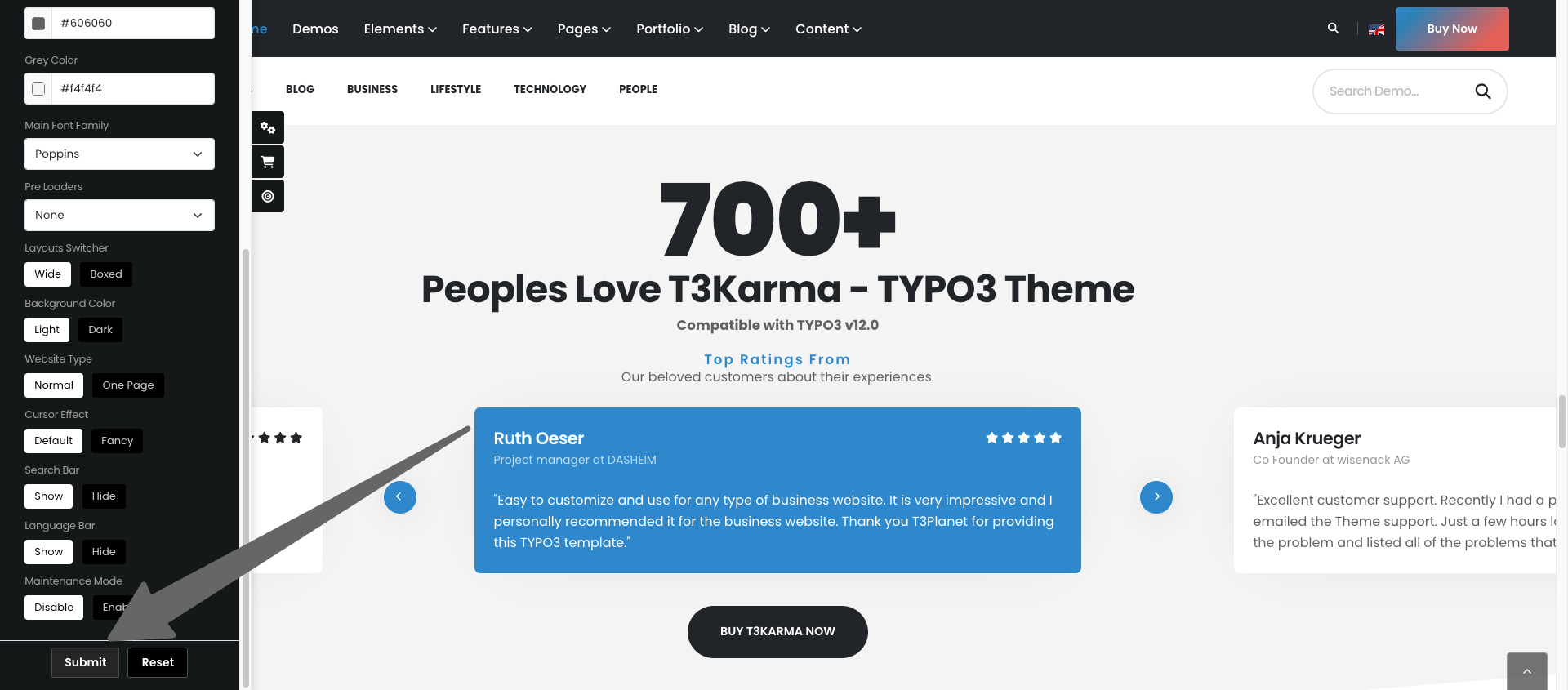
Step 3
Now, click on the “Submit” button to finalize your customization.